VirTra builds law enforcement and military training simulators used by agencies across the country and around the world. V-XR is their portable training system. A Meta Quest Pro headset paired with a Google tablet. The trainee wears the headset and interacts with a photorealistic character filmed in VirTra's volumetric capture studio. The instructor controls everything from the tablet in real time.
I was the first UX/UI designer at VirTra. V-XR was my first project.
Company
VirTra
Year
2024
Platform
Tablet • VR Headset
Role
Product Design • UX/UI
Scope of work
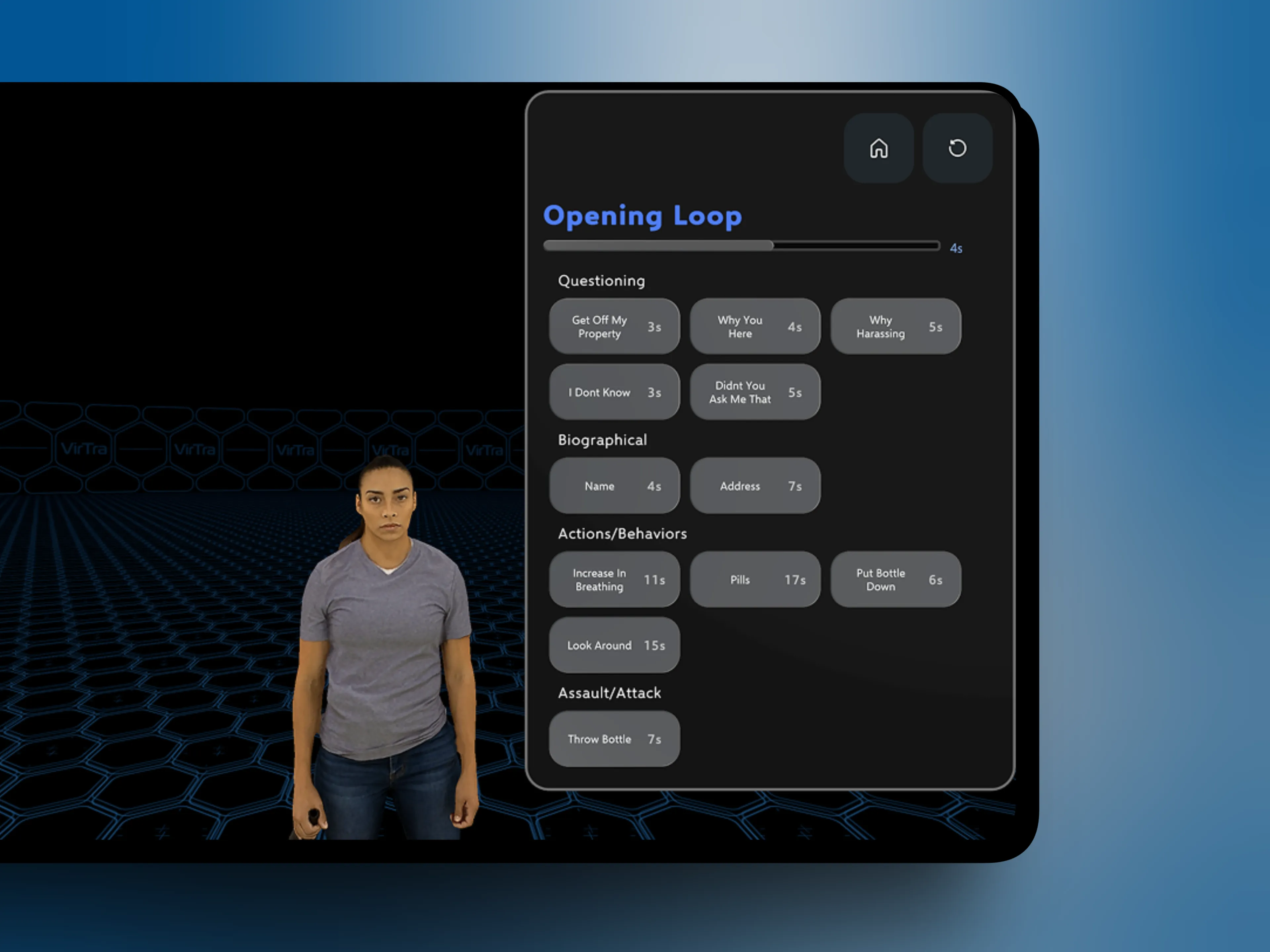
VirTra's original branching interface before a designer was hired.
My Role
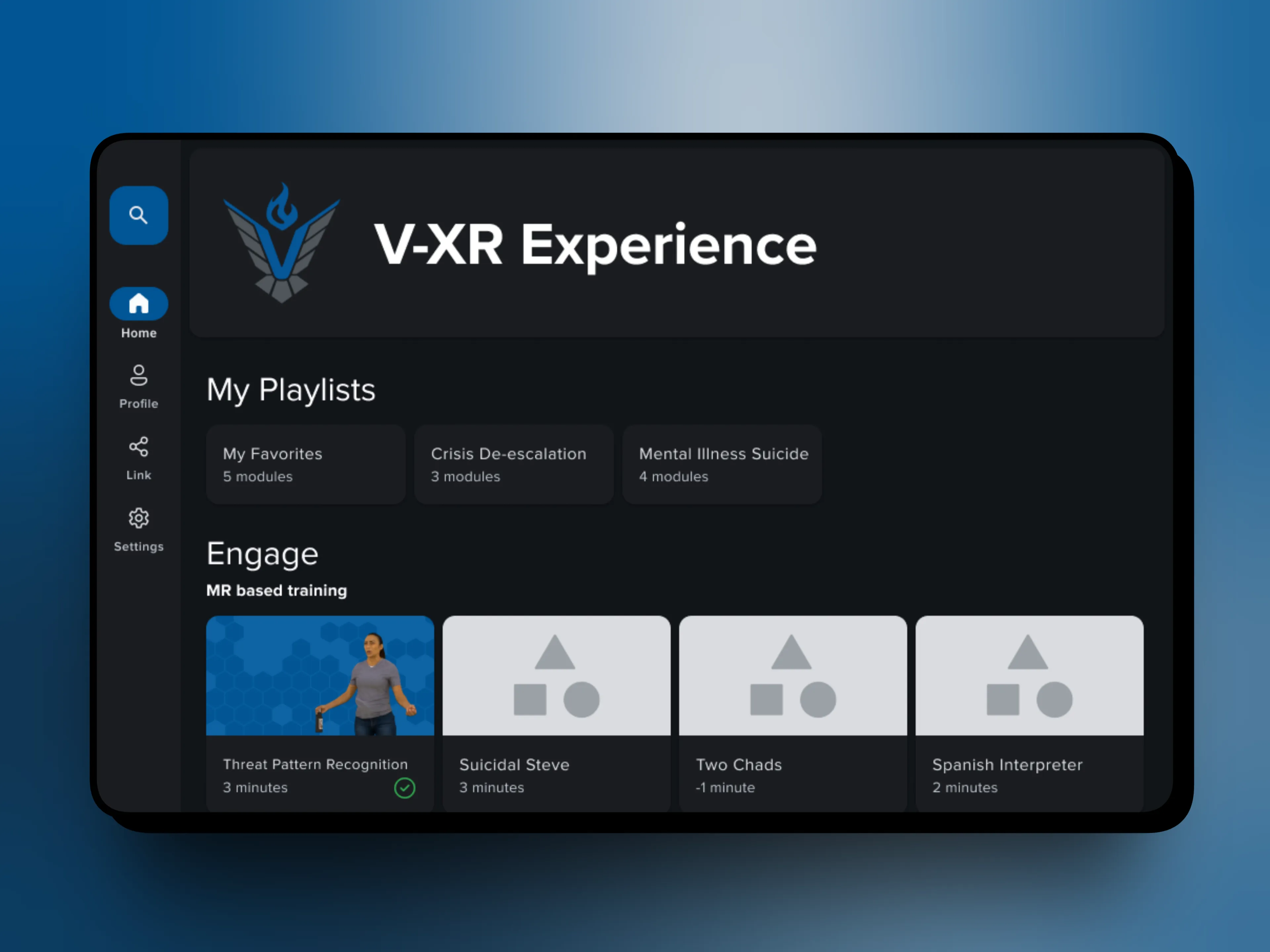
Home screen redesign exploration.
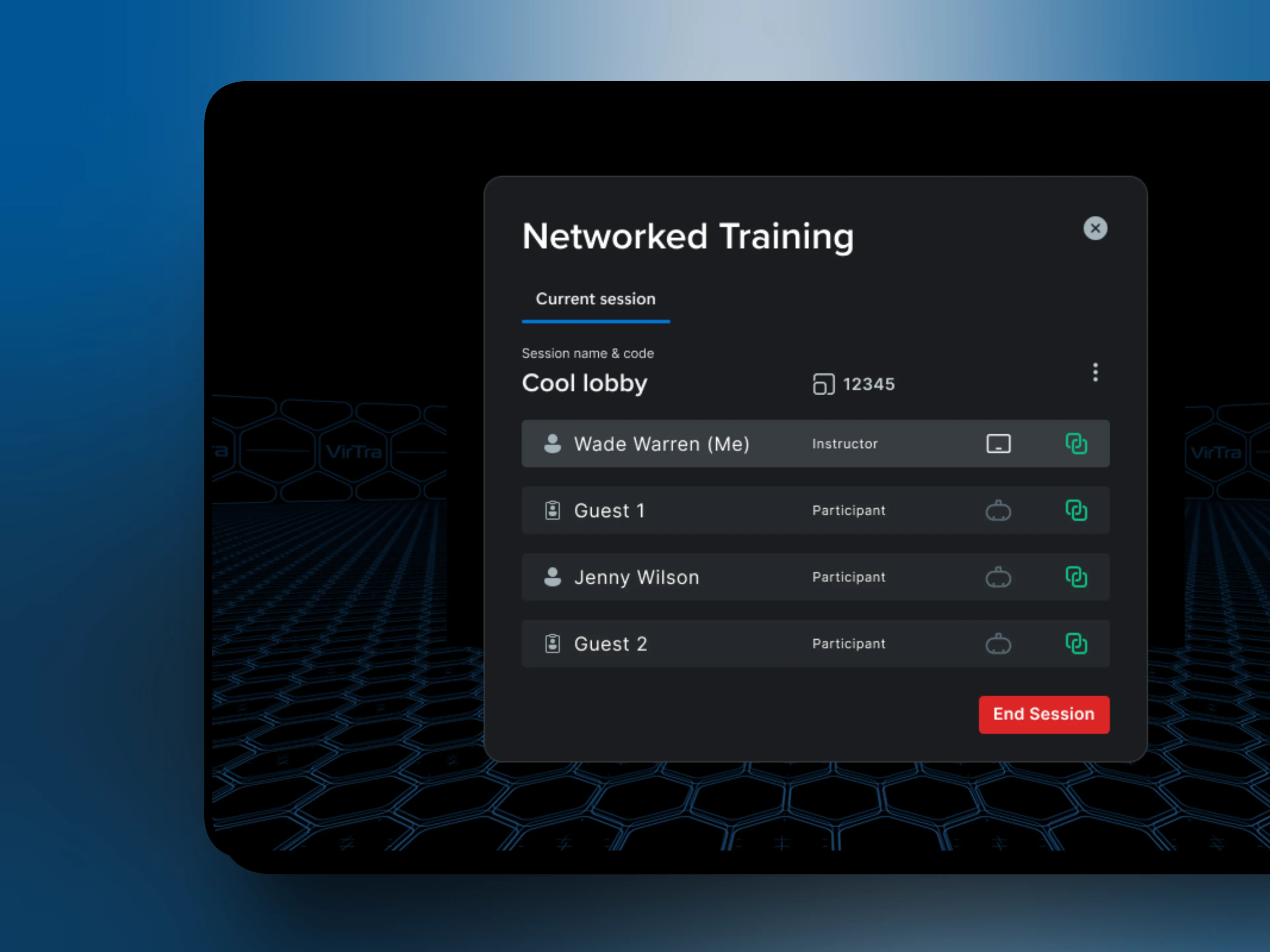
Multi-device networking for connecting instructor and trainee hardware.
V-XR was a small, focused team. I worked directly with the people building the product and the experts who understood the training environment. That proximity made fast decisions possible and kept the work grounded in reality.
Principles first
Good design doesn't start with screens. It starts with understanding the problem well enough that the right solution becomes obvious.

The Branching Interface
The core of the V-XR instructor experience is the branch panel. A real-time list of character responses the instructor can trigger at any moment during a scenario. The instructor has seconds to make a decision. The interface had to make the right choice obvious without demanding attention to find it.
The original approach used color to signal a character's agitation level. Legal flagged it as a liability in a use-of-force training context. That constraint forced a better solution. Rather than color, branches were organized into three distinct categories: Dialogue, Action, and Use of Force. Each with its own icon and visual treatment. The result communicated more information than color ever could, and in a way that held up under scrutiny.
Typography did additional work inside the branch list. Dialogue branches appear in quotes and italics, visually signaling that this is something the character will say. Action branches use regular weight, no quotes. The distinction is immediate and requires no explanation.
Every branch displays the actual dialogue or action text rather than a label or placeholder. "Susie Smith" instead of "Character Name." "Why are you here?" instead of "Dialogue Option 2." The instructor needs to know exactly what they're triggering before they trigger it.
The legal constraint didn't limit the design. It made it better.
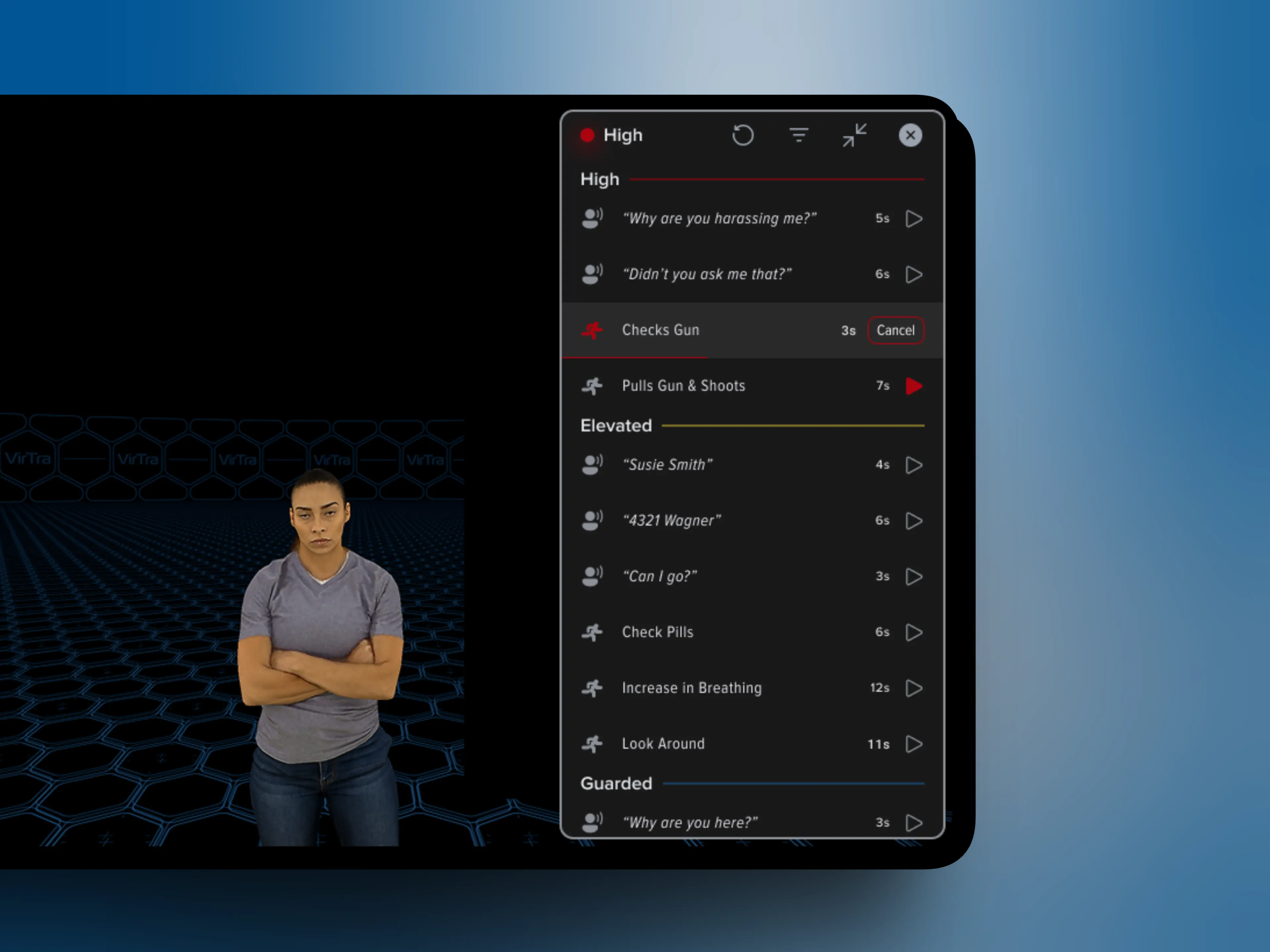
Color and agitation-based branching system, rejected for legal reasons.
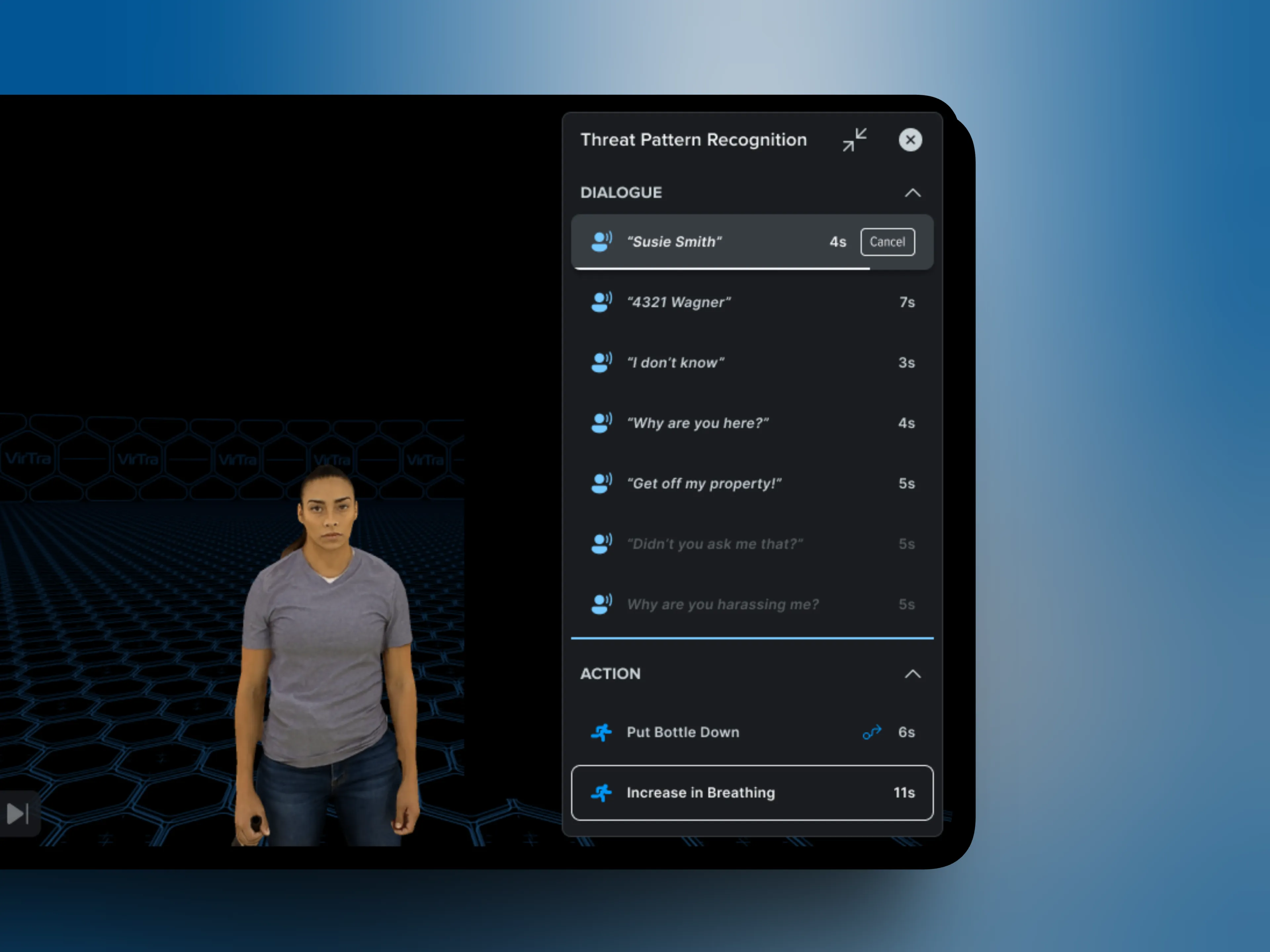
Final categorized branch panel with Dialogue, Action, and Use of Force.
Managing the Session
Once a branch is triggered, the session doesn't stop. The character keeps moving, the trainee keeps responding, and the instructor needs to stay ahead of it. The interface had to support that momentum without adding friction.
Branches are queued rather than triggered instantly. When an instructor selects a response, it lines up behind the active branch and plays when the character is ready. This keeps transitions feeling natural, the character doesn't snap between behaviors mid-sentence. The trainee never sees the seams.
A cancel control sits inline with the active branch for moments when the instructor needs to abort mid-play. One tap, no confirmation dialog, no buried menu. The session recovers immediately.
Not every branch works the same way. Timed branches run for a fixed duration and cannot be skipped. Used for moments like an opening sequence where the full context needs to land before the trainee can respond. Transition branches work differently. Triggering one moves the instructor into a new set of options with no path back to the previous tree. A deliberate one-way door. It gives instructors the ability to steer a scenario down different avenues in real time, opening up entirely new training outcomes from a single session.
Both are communicated through iconography alone. Adding labels would have introduced clutter the instructor doesn't have time to read.
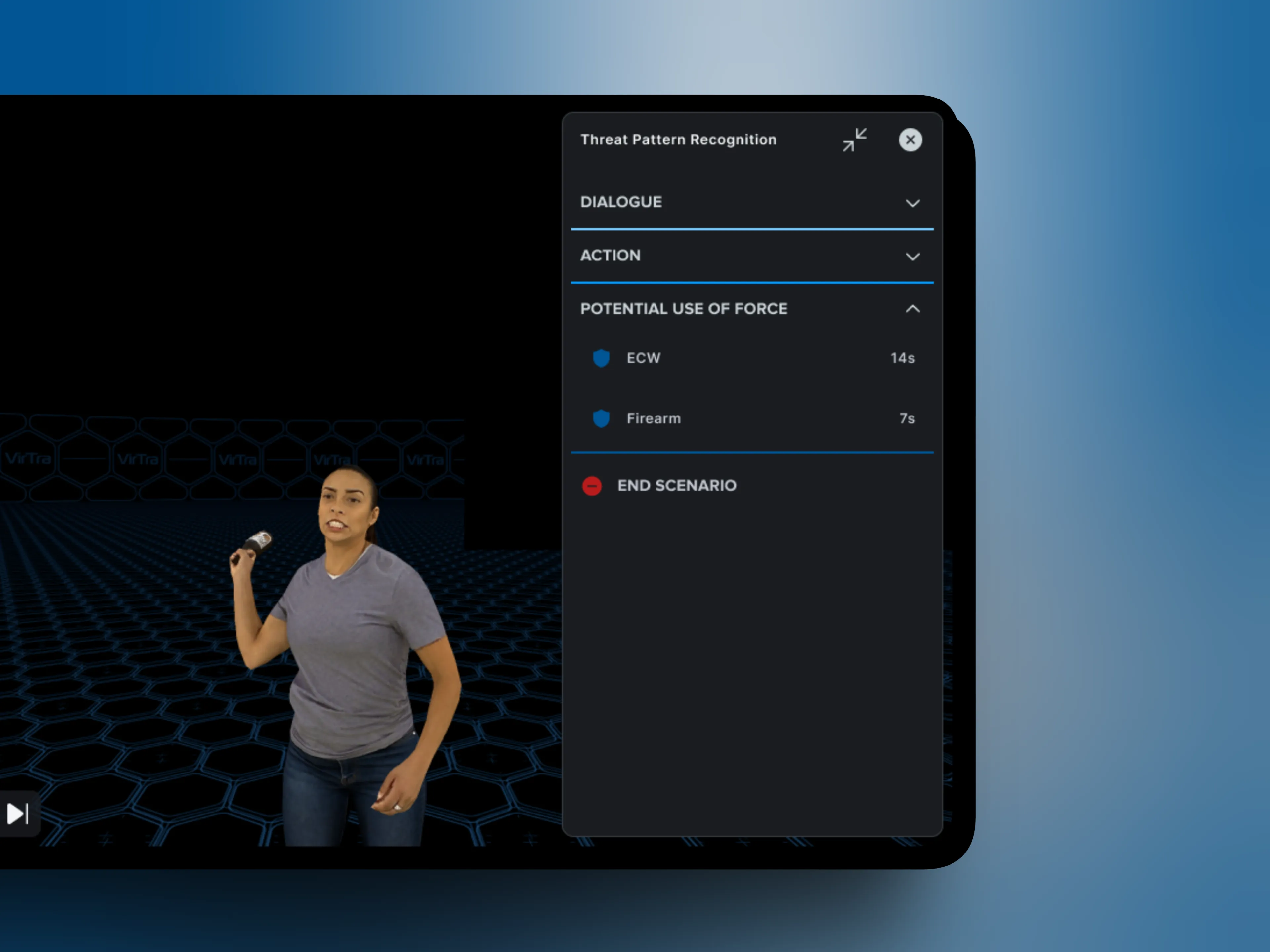
Branch categories collapsed to help instructors focus.
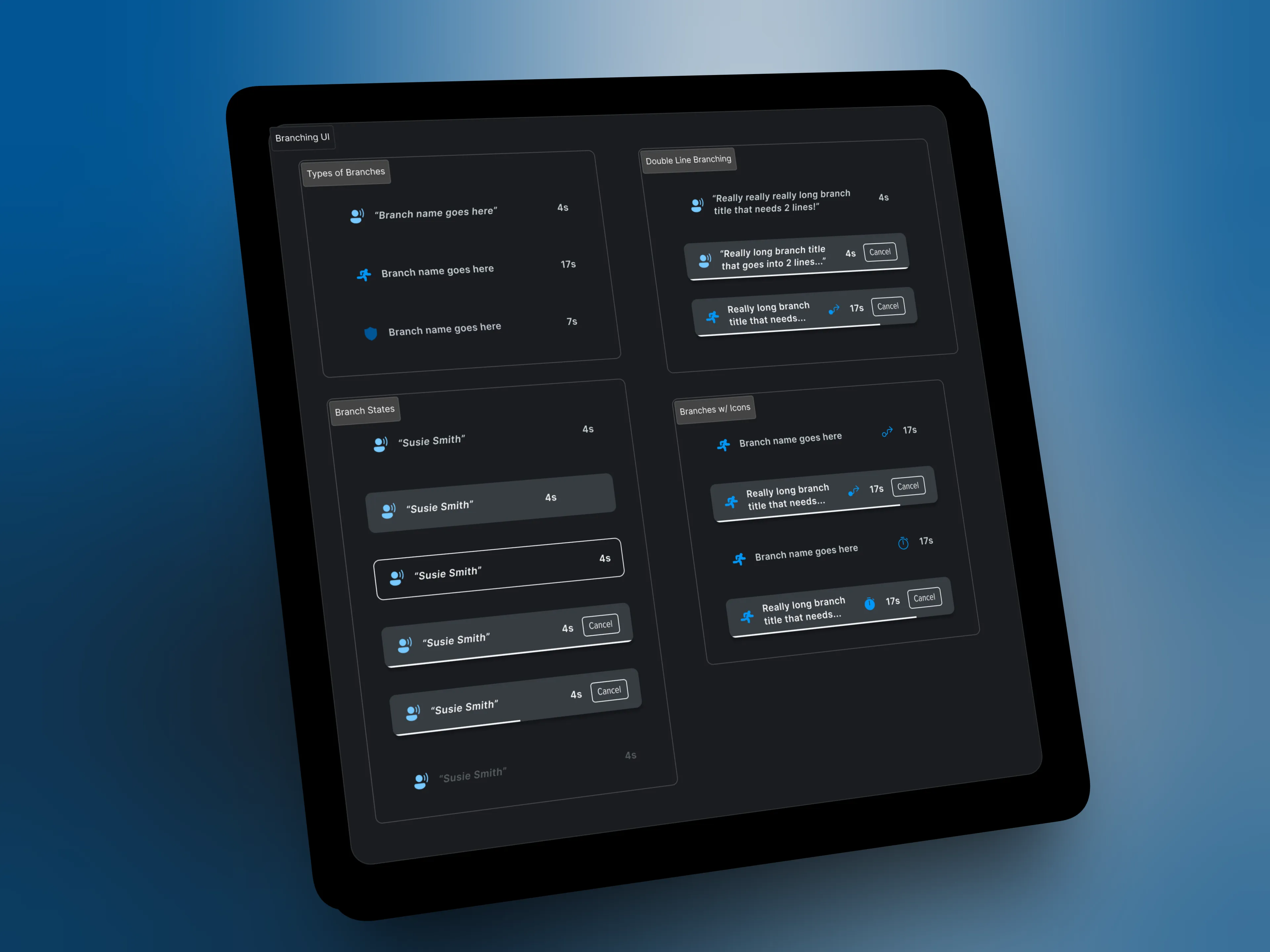
Branching component states and variations used across the design system.
Instructor Controls
The branch panel handles what the character says and does. The controls panel handles how the session feels. Three toggles, each adding a layer of realism that branches alone can't provide.
The controls panel gives the instructor 3 ways to deepen the realism of a session. 3rd Person lets them shift perspective on the fly. Look At keeps the character's attention on the trainee as they move in real space, a small detail that's immediately felt. Mimic Mode routes the instructor's voice through the character in real time. In de-escalation training, the ability to respond to what the trainee is actually saying changes the session entirely.
The controls live in a collapsible panel that's hidden by default so nothing competes with the branch interface during an active session. Each toggle reveals only its relevant settings inline. Keeping them as simple on/off toggles was a deliberate choice. The instructor is already managing a live scenario. The controls needed to disappear until they were needed.
Play, pause, and skip were positioned in the thumb zone after prototype testing revealed that reaching across the screen mid-session wasn't acceptable. The first time I tested on a real tablet, I was reaching for everything. That didn't ship.
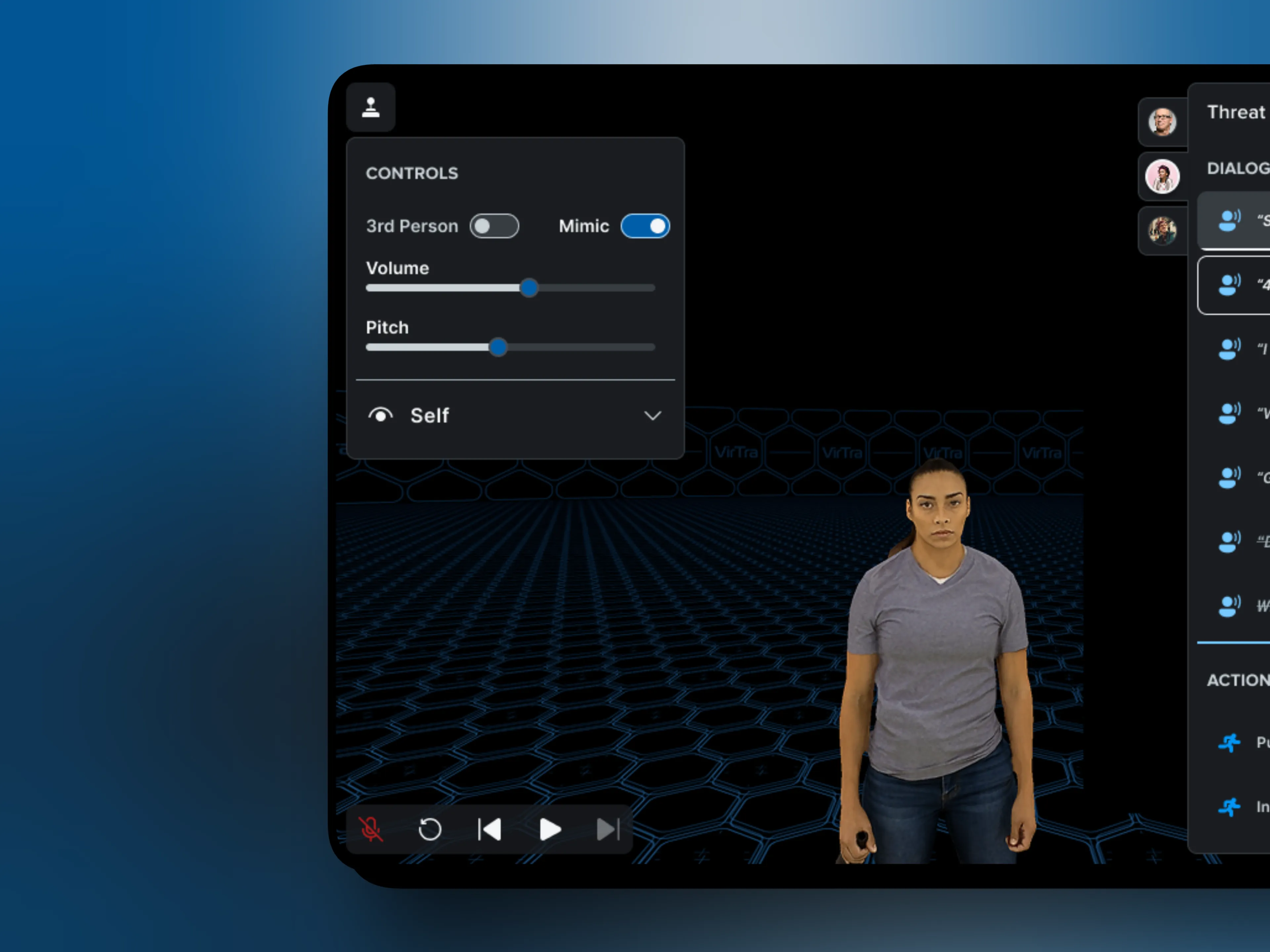
Controls panel open with Mimic Mode active, showing volume and pitch sliders inline.
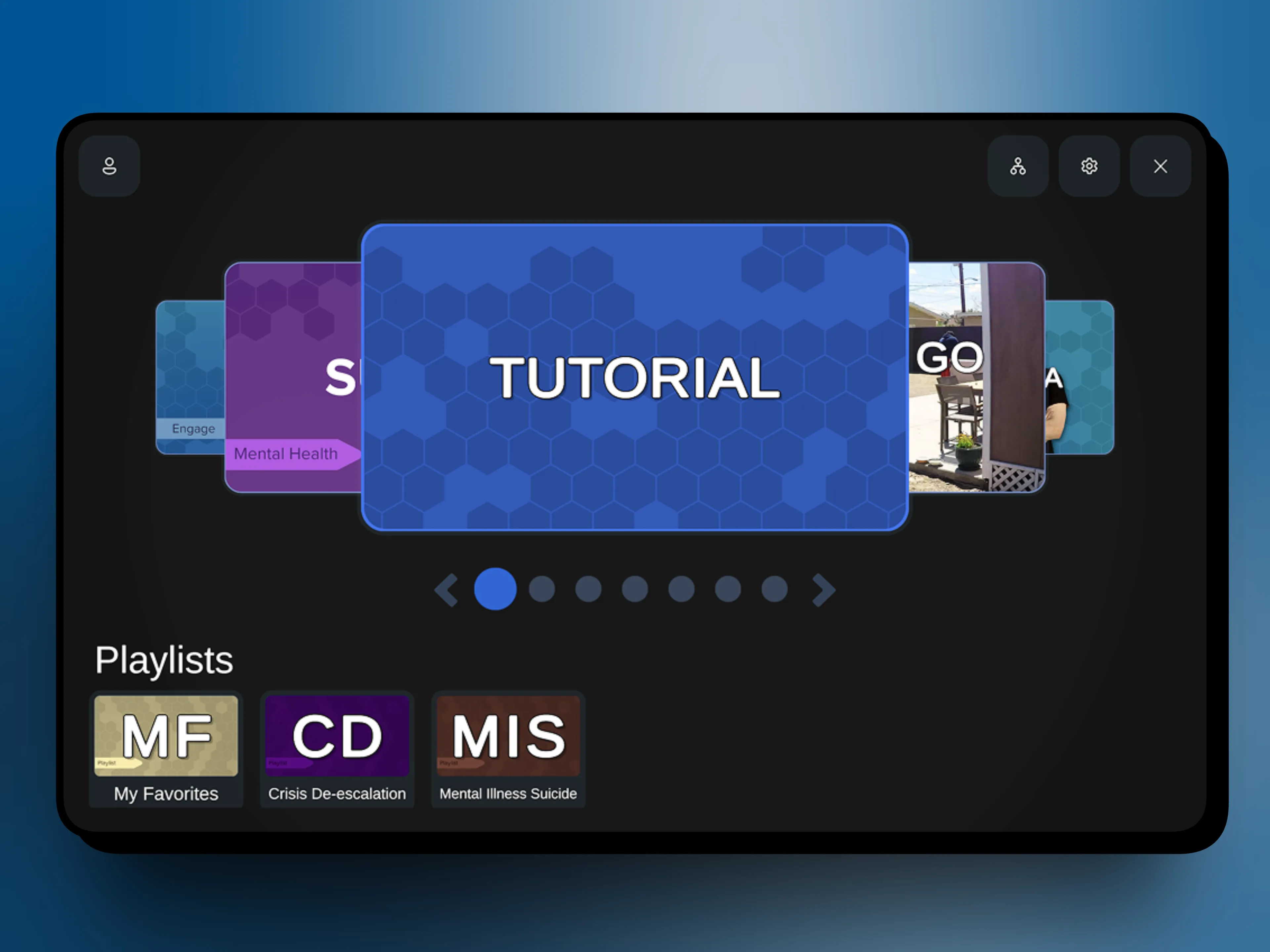
V-XR home screen showing scenario playlists and training content.