Mission Library

Introduction

Introduction

Mission Library is a web-based content discovery platform designed to help sales teams, customers, and internal teams quickly search, filter, and understand VirTra’s training scenario library.

Company

VirTra

Year

2025

Platform

Web

Role

Product Design • UX/UI

Scope of work

Content Discovery • Taxonomy • System Design

Challenges

Challenges

VirTra’s content library had grown to hundreds, approaching a thousand, training scenarios spanning different languages, topics, simulators, and levels of severity.

However, the content lacked a clear UX foundation.

VirTra’s content library had grown to hundreds, approaching a thousand, training scenarios spanning different languages, topics, simulators, and levels of severity.

However, the content lacked a clear UX foundation.

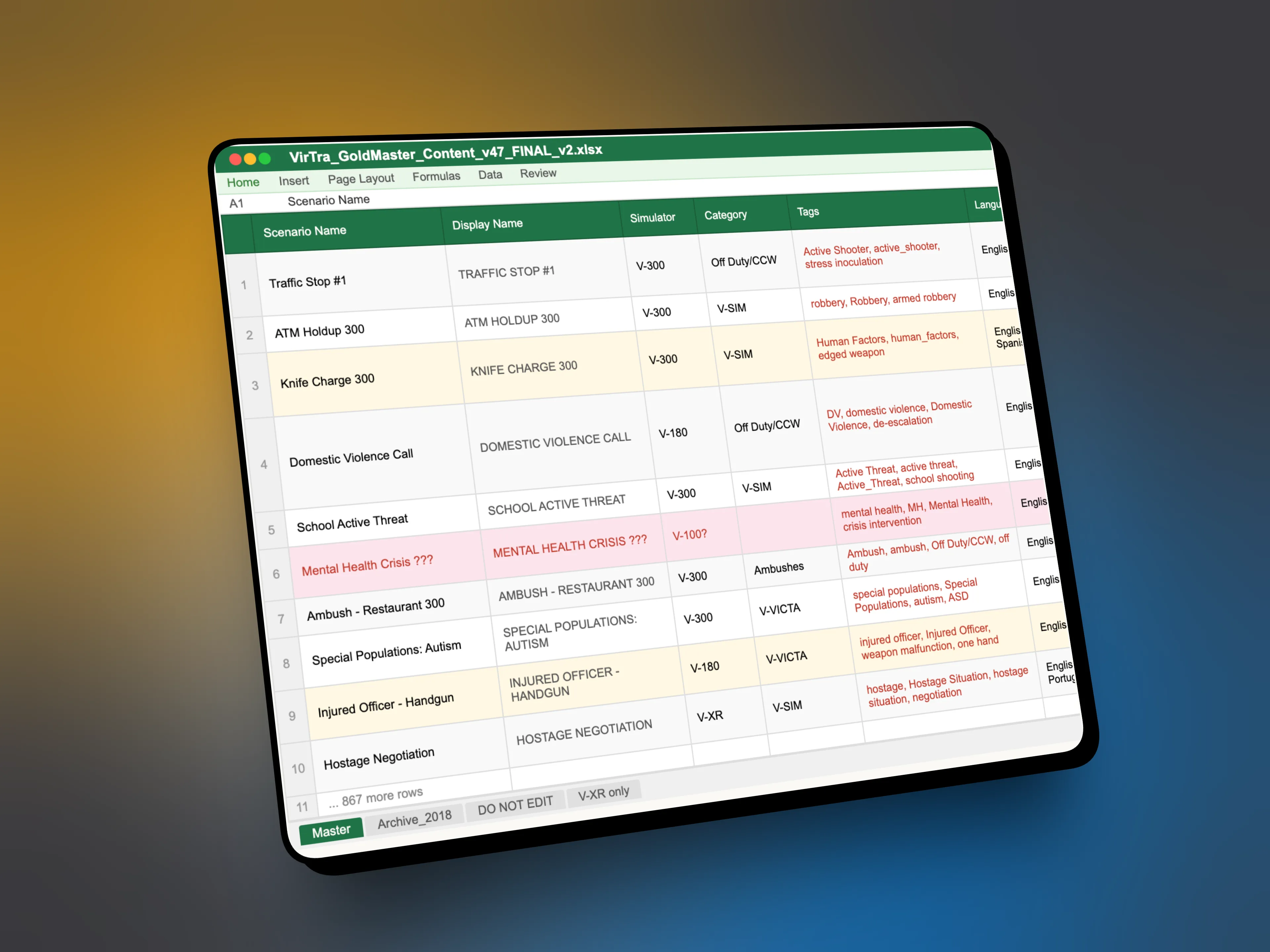
There was no consistent taxonomy, tagging was fragmented, and important distinctions, such as simulator compatibility or language availability were difficult to surface quickly. In practice, this meant sales teams relied on internal spreadsheets and Content team support to answer customer questions.

The project also faced organizational constraints. There was early pushback toward a text-only, search-driven solution, despite content being one of VirTra’s strongest differentiators.

Finally, the tool needed to perform live during sales calls, where speed, clarity, and confidence mattered more than exhaustive detail.

There was no consistent taxonomy, tagging was fragmented, and important distinctions, such as simulator compatibility or language availability were difficult to surface quickly. In practice, this meant sales teams relied on internal spreadsheets and Content team support to answer customer questions.

The project also faced organizational constraints. There was early pushback toward a text-only, search-driven solution, despite content being one of VirTra’s strongest differentiators.

Finally, the tool needed to perform live during sales calls, where speed, clarity, and confidence mattered more than exhaustive detail.

Establishing the Mission

Establishing the Mission

How the design approach, took shape.

Design for scale

The system was designed to handle hundreds of scenarios without breaking down. Structure, hierarchy, and grouping were prioritized so the library could grow without becoming harder to navigate.

Build a clear taxonomy

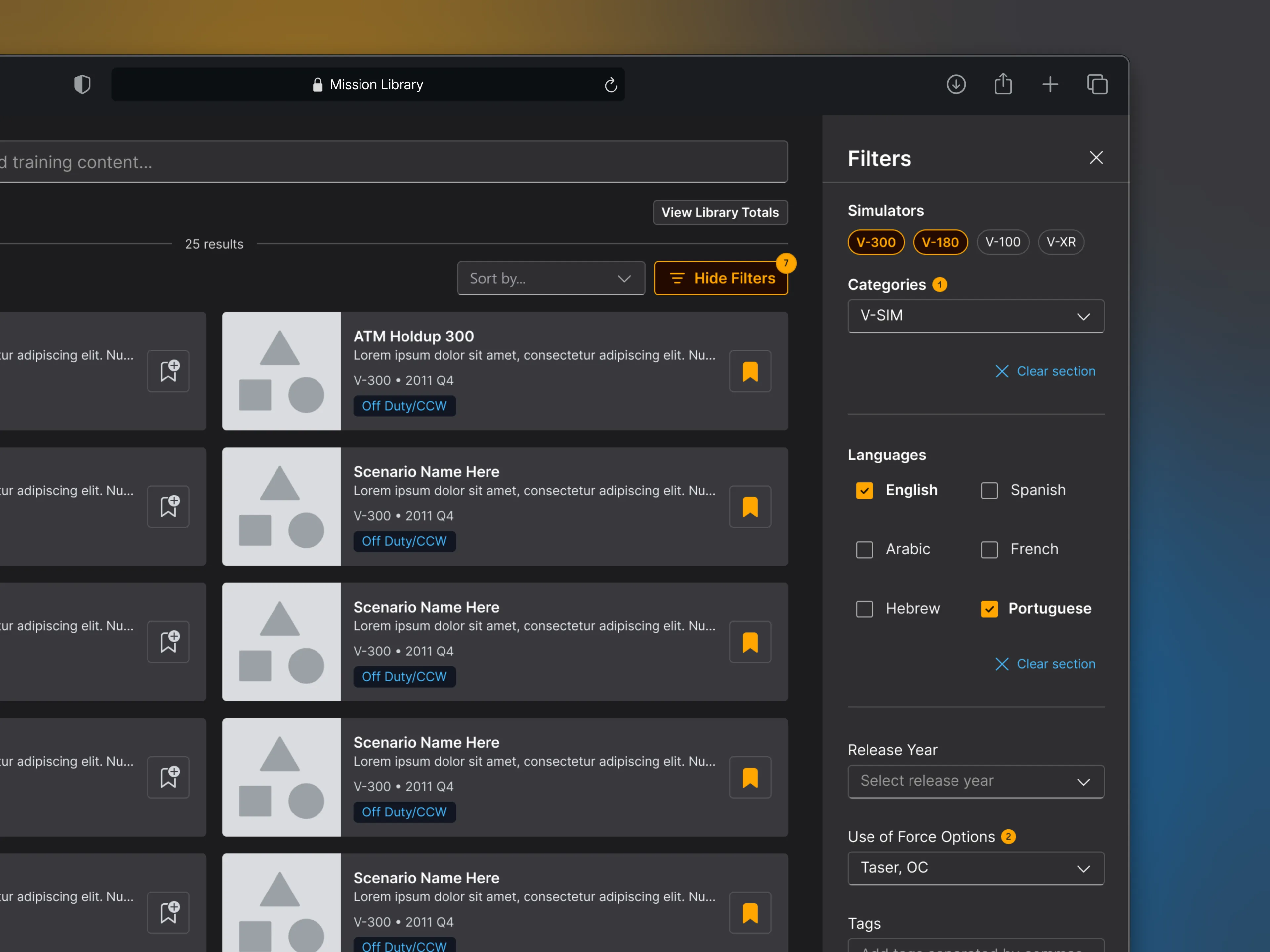
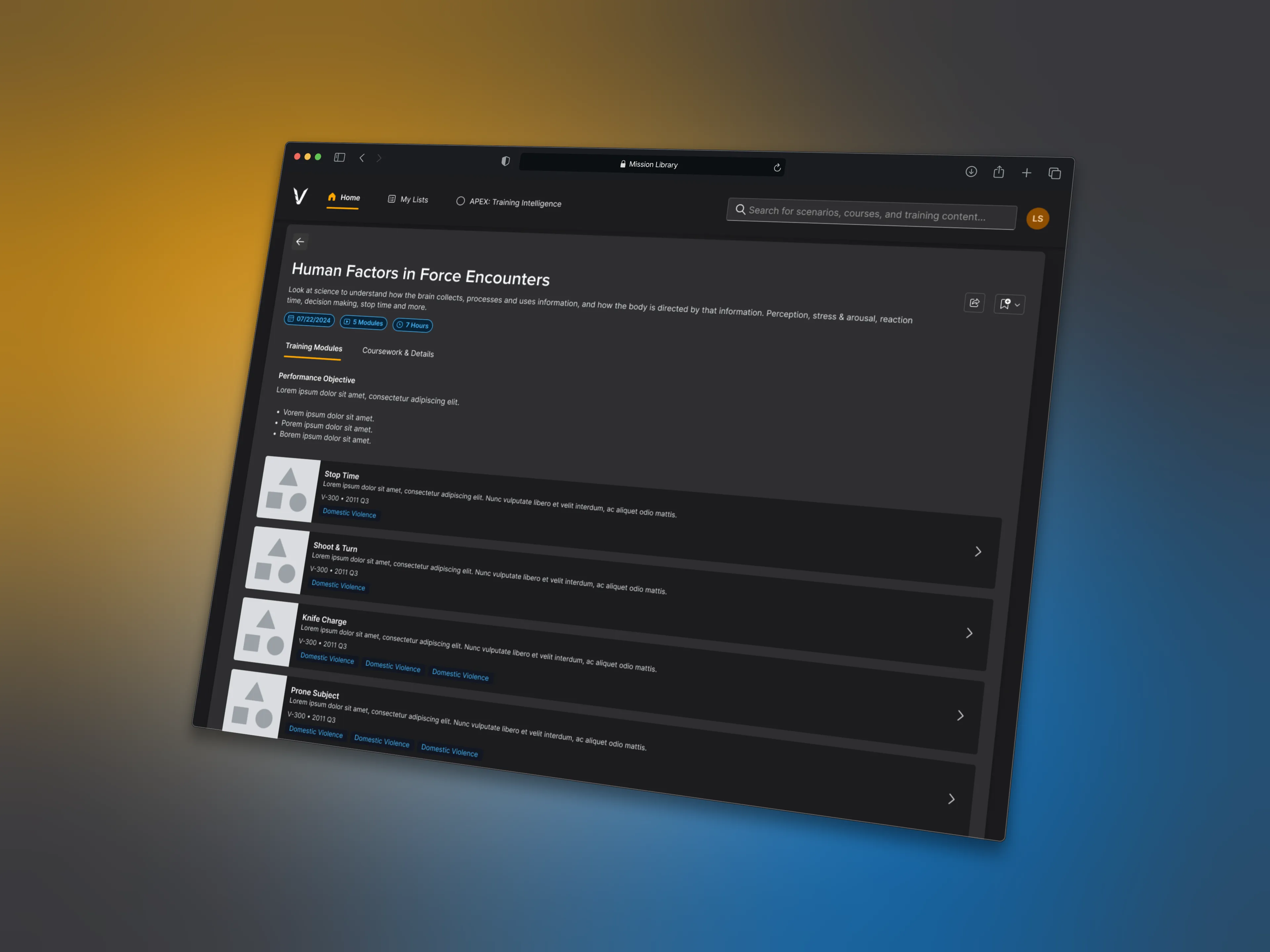
Content types, languages, tags, and simulator compatibility were intentionally defined and standardized. This ensured scenarios were categorized consistently and could be surfaced reliably across teams and use cases.

Optimize for fast decisions

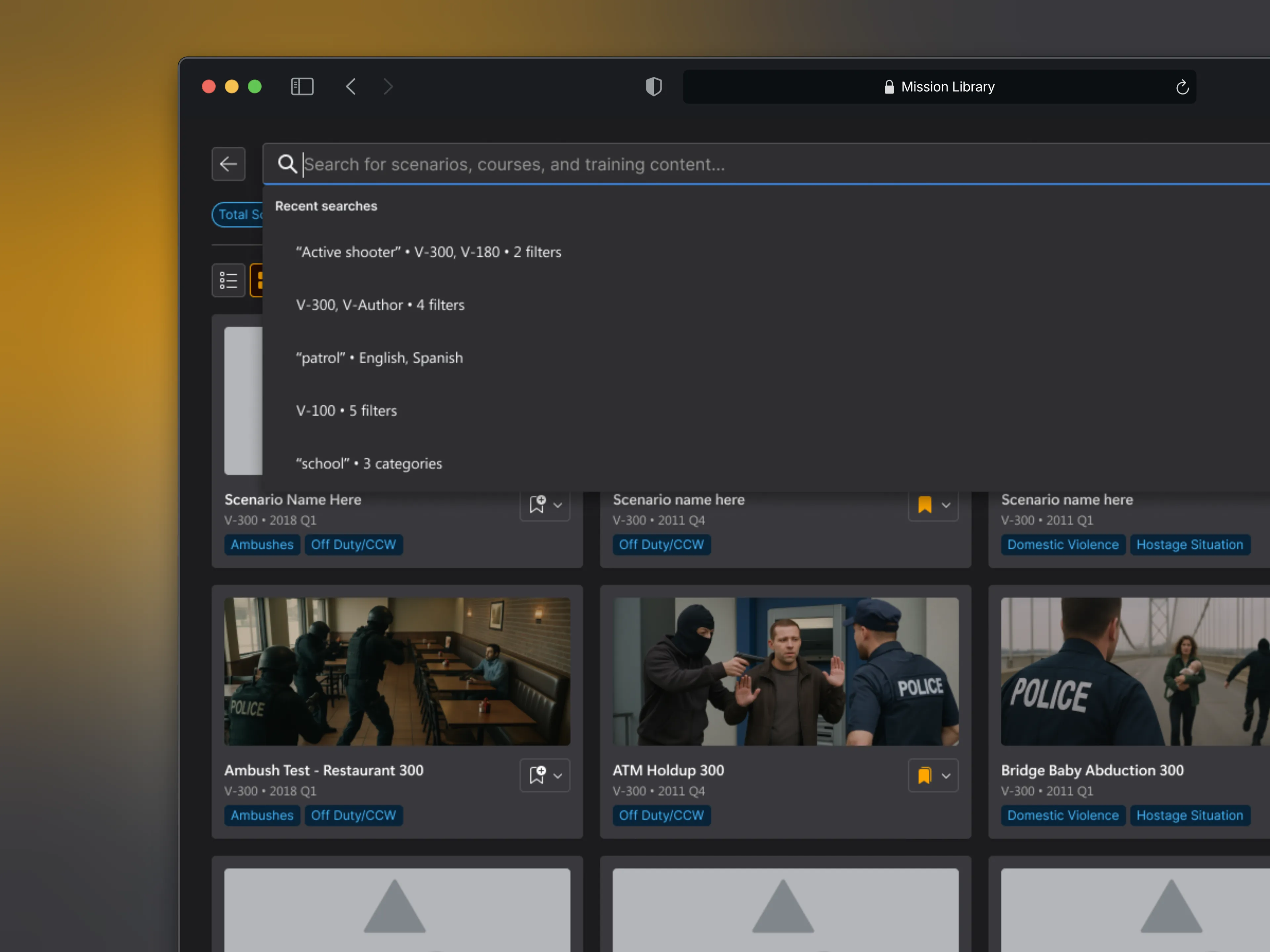
The interface was designed for live sales conversations and demos. Results needed to be understandable at a glance, allowing users to quickly confirm availability, quantity, and relevance without slowing the conversation.

Lead with visuals first

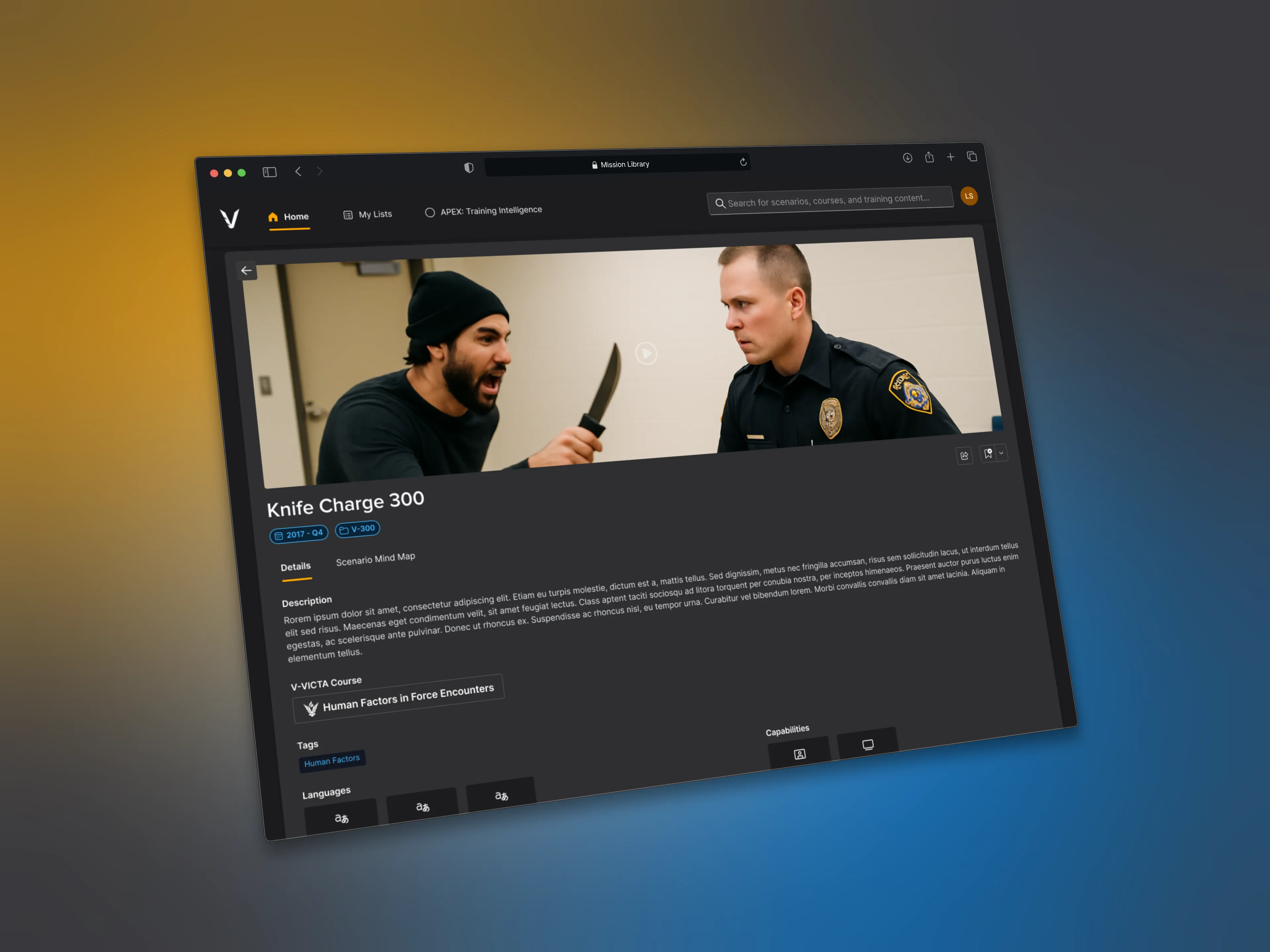
Scenarios were presented visually first, supported by concise metadata. This helped users quickly understand the nature of the content while reserving deeper detail for focused views, reducing cognitive load during browsing.

The work began with a deep review of the existing content spreadsheet to understand the volume, structure, and inconsistencies across the library. This audit helped identify which data needed to be surfaced at a glance and which details could live deeper in the experience.

I partnered closely with Sales, instructors, and the Head of Content to understand how scenarios were discussed in real conversations. Rather than designing for idealized search behavior, the system was shaped around real customer questions, sales workflows, and demo constraints.

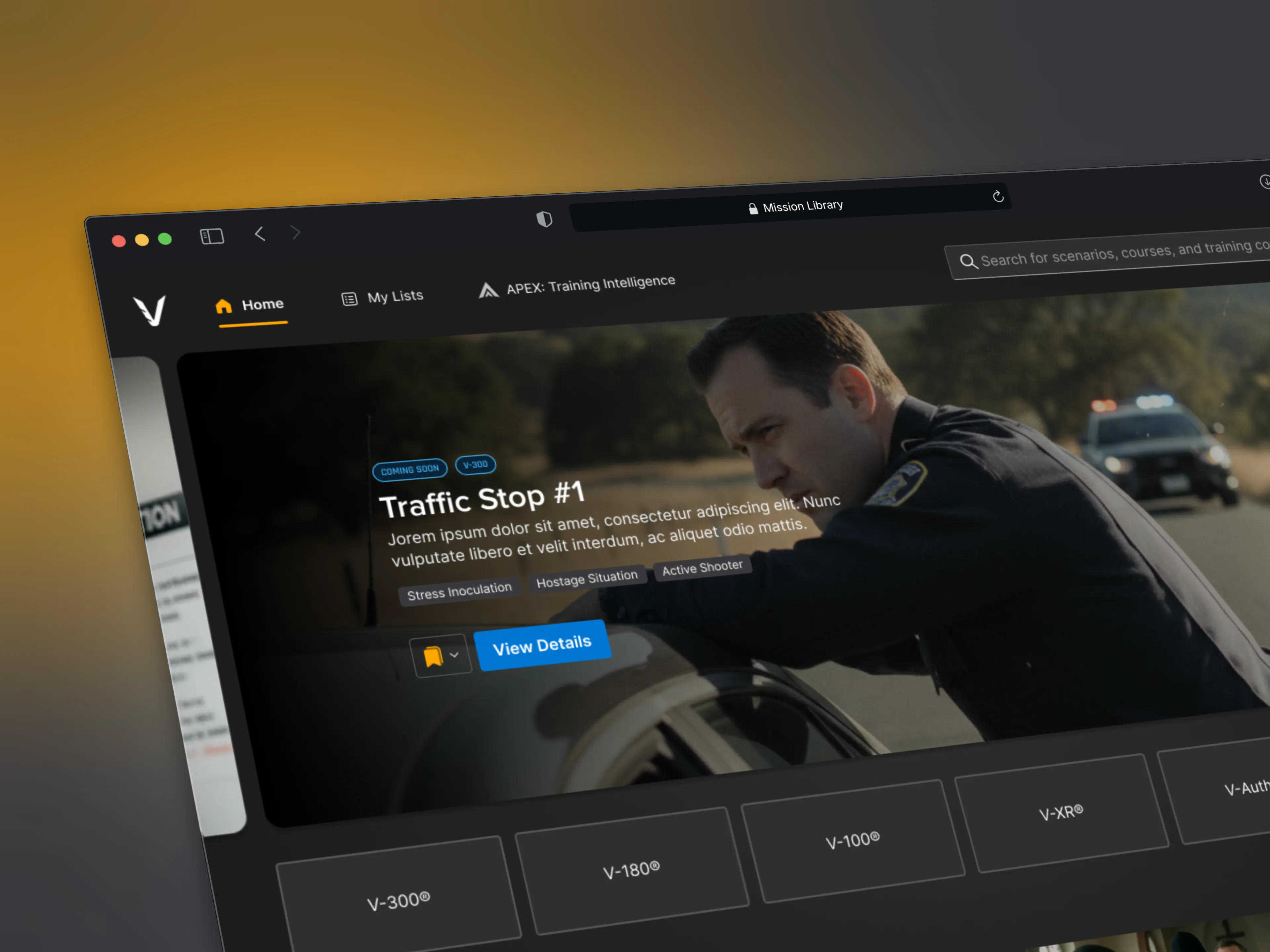
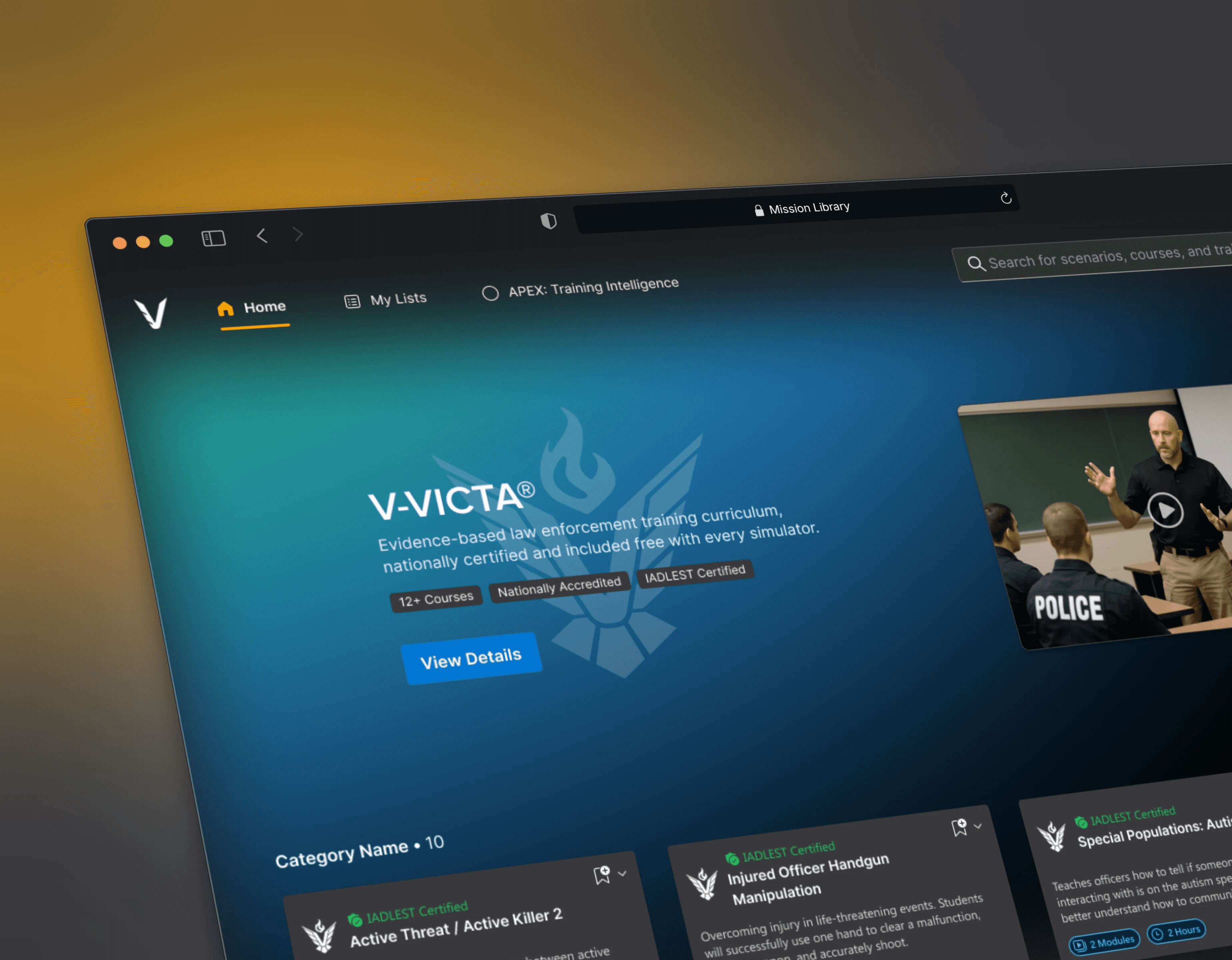
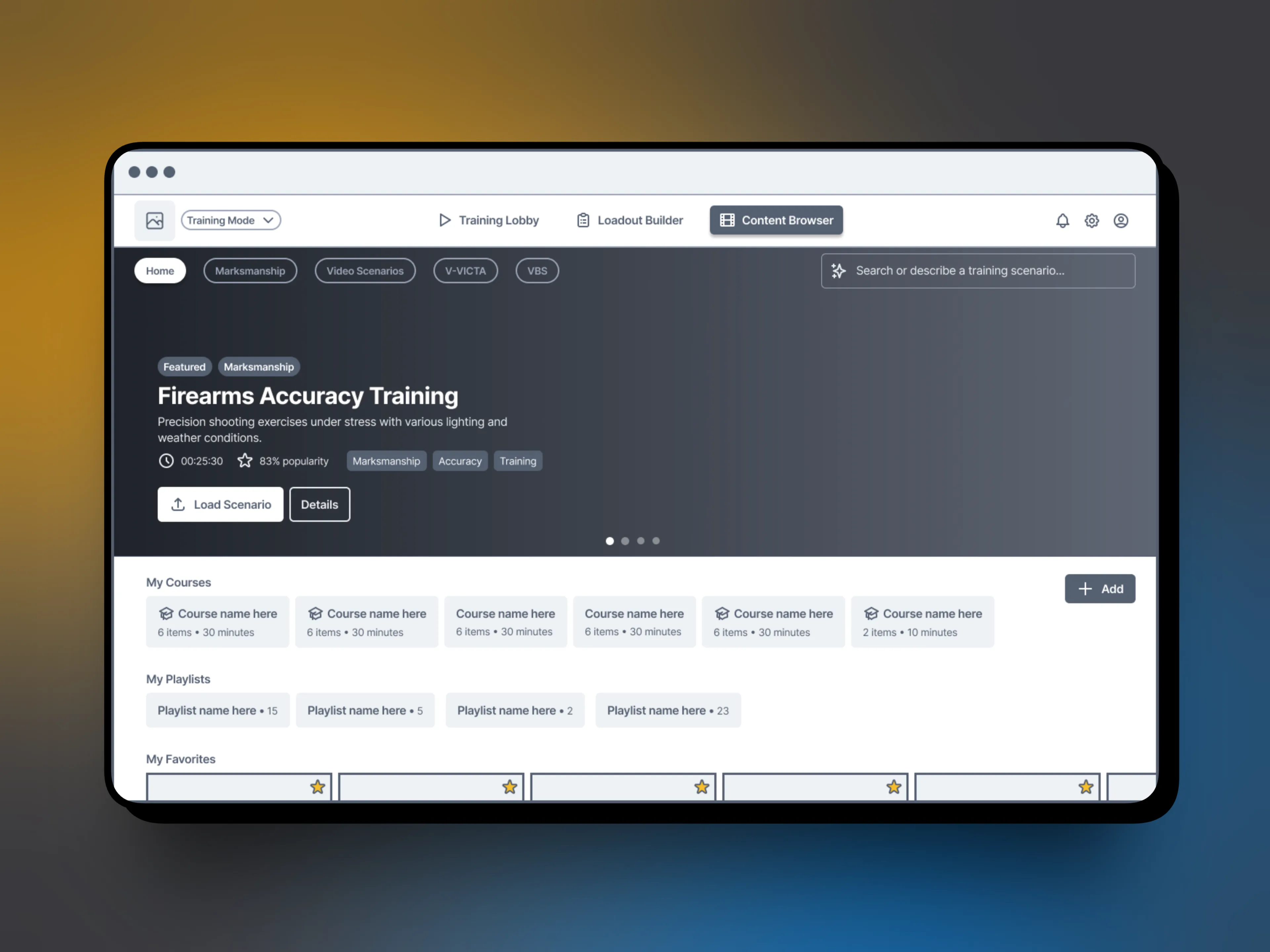
A core decision was to move beyond a search-only experience. VirTra often emphasizes that content is king and content is inherently visual. Inspired by how platforms like Netflix surface large libraries, the interface leaned into visual discovery supported by structured filters, rather than forcing users to rely on exact text queries.

The experience was intentionally restrained at the top level, showing only the most relevant information needed to guide decisions quickly. Detailed descriptions, capabilities, and metadata were reserved for deeper views, balancing speed with depth.

Throughout the process, every design decision was evaluated through a simple lens:


Would this help someone confidently answer a customer question in real time?

Key Workflows

Key Workflows

Sales Workflow

The primary workflow was designed for speed and clarity during live demos.

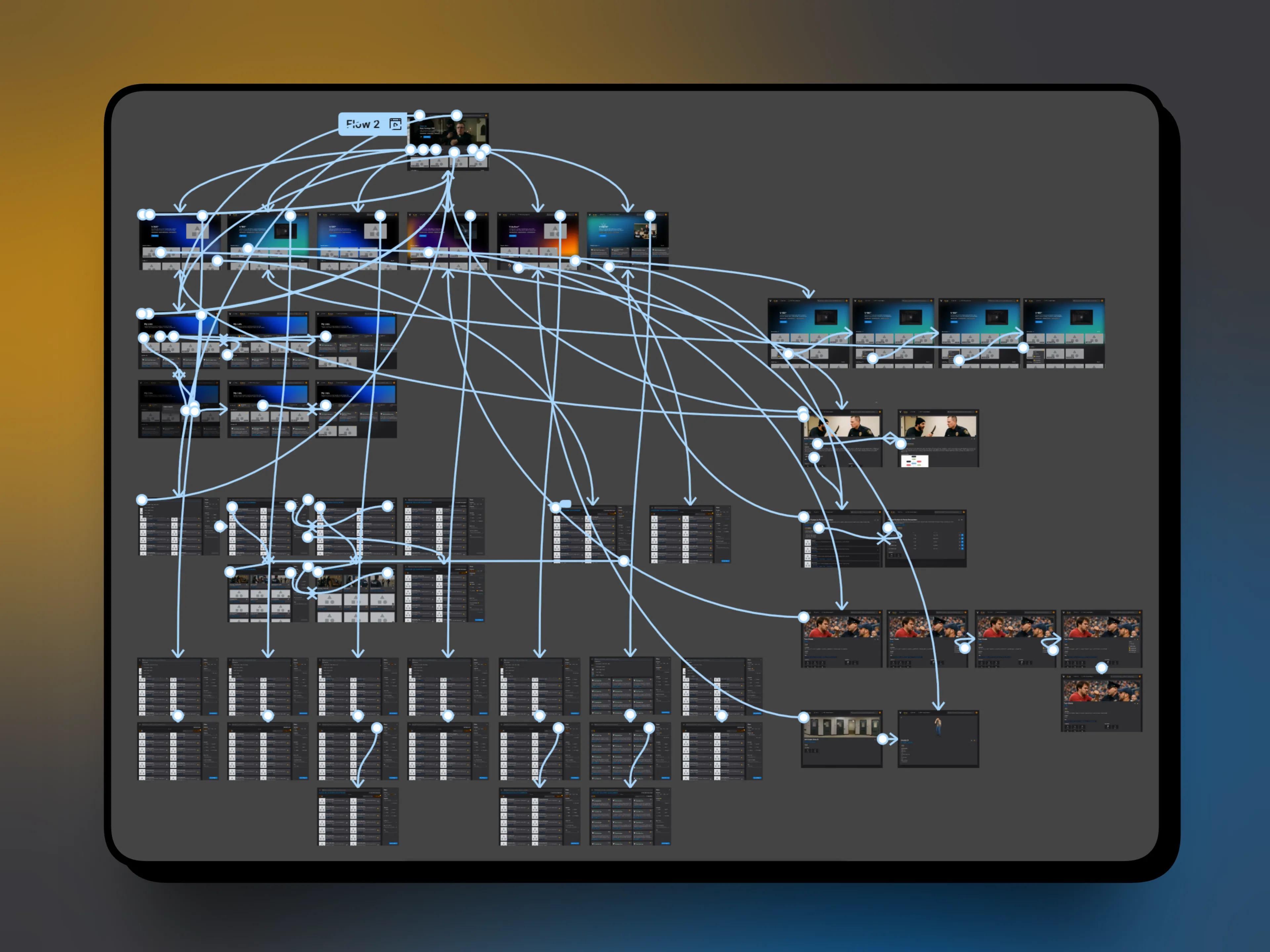
Sales users can quickly filter scenarios by topic, language, simulator compatibility, and other key attributes, instantly seeing how much relevant content exists and previewing what’s available. This allows conversations to stay focused and confident, without awkward pauses or follow-up emails.

Customer Workflow

The primary workflow was designed for speed and clarity during live demos.

Sales users can quickly filter scenarios by topic, language, simulator compatibility, and other key attributes, instantly seeing how much relevant content exists and previewing what’s available. This allows conversations to stay focused and confident, without awkward pauses or follow-up emails.

System & Design Language

System & Design Language

Content Intelligence was designed as reusable system, not a one-off tool.

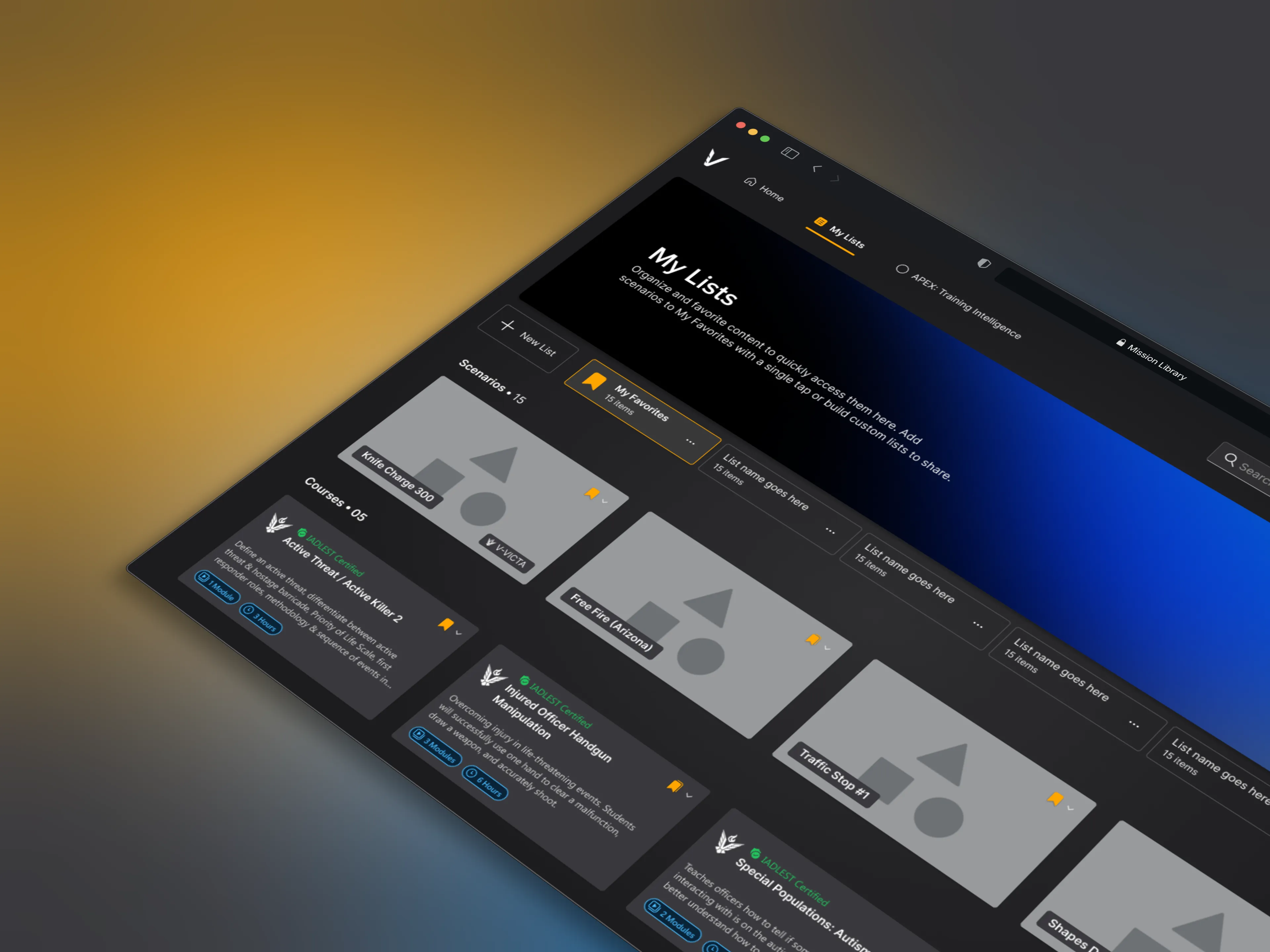
The interface uses the same Microsoft Fluent UI foundation as VOS, ensuring consistency across platforms and touchpoints. Layouts, components, and interaction patterns were intentionally aligned so that sales demos and in-product experiences feel like parts of the same ecosystem.

This approach allowed the tool to scale naturally, supporting future content growth while reinforcing a shared design language across VirTra’s products.

Final thoughts

Final thoughts

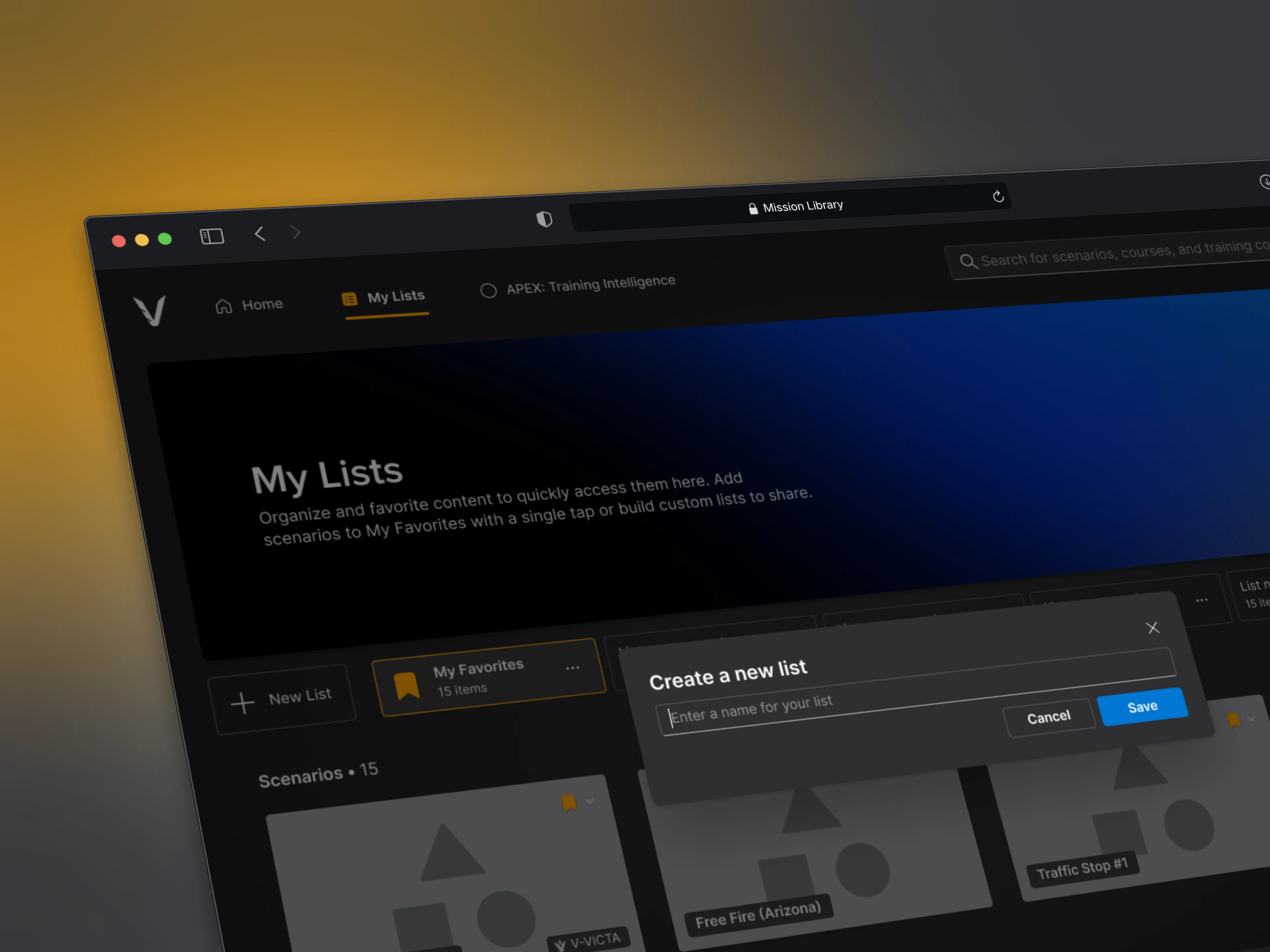
Mission Library quickly became a trusted tool for the sales team and is now actively used during live customer calls. What once required manual spreadsheet searches or Content team support can now be answered instantly and visually.

Mission Library quickly became a trusted tool for the sales team and is now actively used during live customer calls. What once required manual spreadsheet searches or Content team support can now be answered instantly and visually.

An unexpected benefit of the project was internal alignment. As the system took shape, it surfaced inconsistencies in tagging and metadata, prompting the Content team to clean up records and establish clearer standards moving forward.

For me, this project reinforced the value of designing systems before polish. By prioritizing clarity, structure, and real-world workflows, the final product not only improved efficiency but helped reshape how content is managed and presented across the organization.

An unexpected benefit of the project was internal alignment. As the system took shape, it surfaced inconsistencies in tagging and metadata, prompting the Content team to clean up records and establish clearer standards moving forward.

For me, this project reinforced the value of designing systems before polish. By prioritizing clarity, structure, and real-world workflows, the final product not only improved efficiency but helped reshape how content is managed and presented across the organization.

space cowboy

Have a project in mind?

By submitting, you agree to our Terms and Privacy Policy.

© 2025 Space Cowboy Design

Let’s talk.

If you're working on a product or have a new idea, I'd love to hear about it.

Quick response.

If you’re ready to create and collaborate, we’d love to hear from you.

No pressure.

No pitches or sales, just a conversation.

space cowboy

Have a project in mind?

By submitting, you agree to our Terms and Privacy Policy.

© 2025 Space Cowboy Design

Let’s talk.

If you're working on a product or have a new idea, I'd love to hear about it.

Quick response.

If you’re ready to create and collaborate, we’d love to hear from you.

No pressure.

No pitches or sales, just a conversation.

space cowboy

Have a project in mind?

By submitting, you agree to our Terms and Privacy Policy.

Let’s talk.

If you're working on a product or have a new idea, I'd love to hear about it.

Quick response.

If you’re ready to create and collaborate, we’d love to hear from you.

No pressure.

No pitches or sales, just a conversation.